What's new in Linksy 0.12 for Linux and 0.3.3 for Android
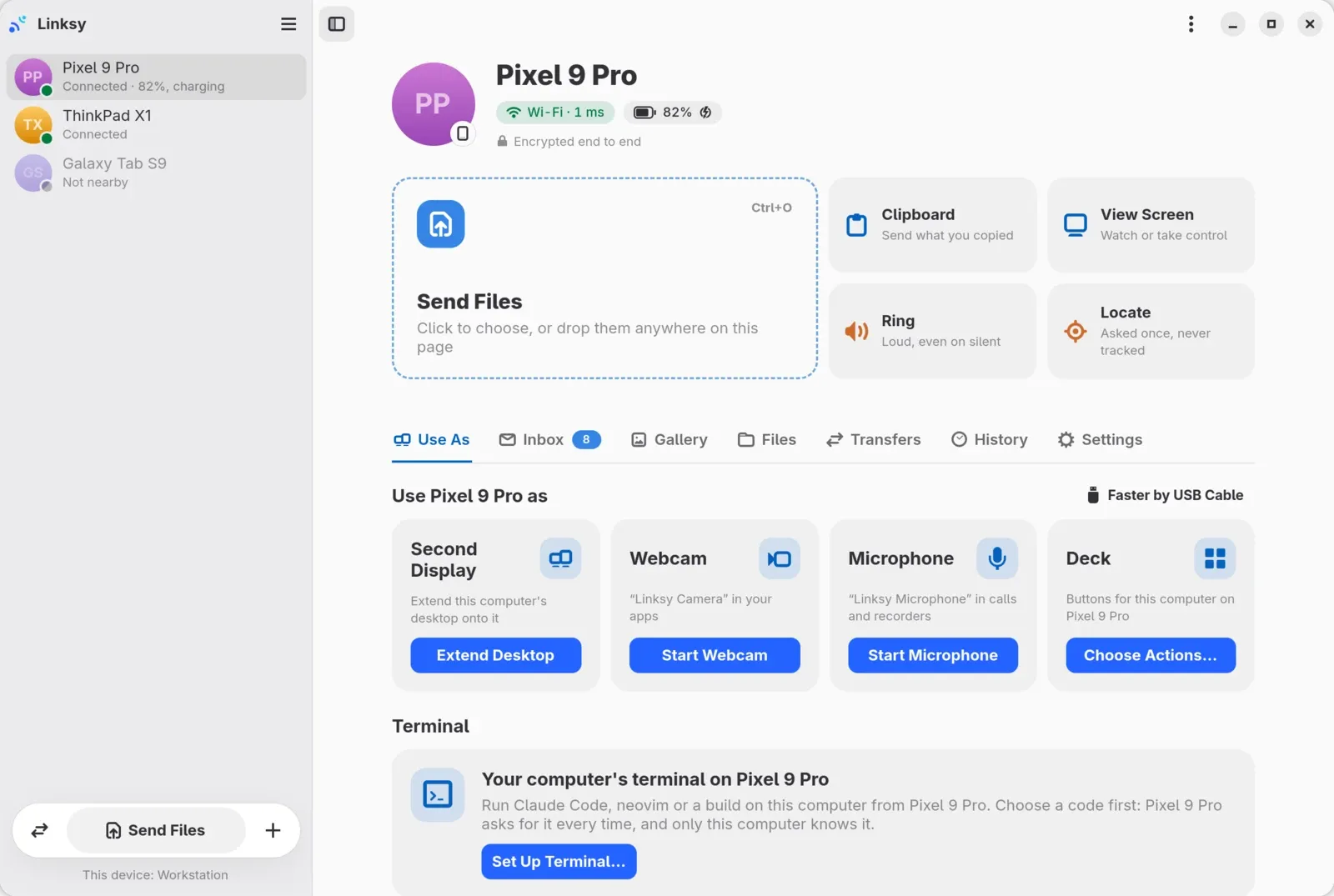
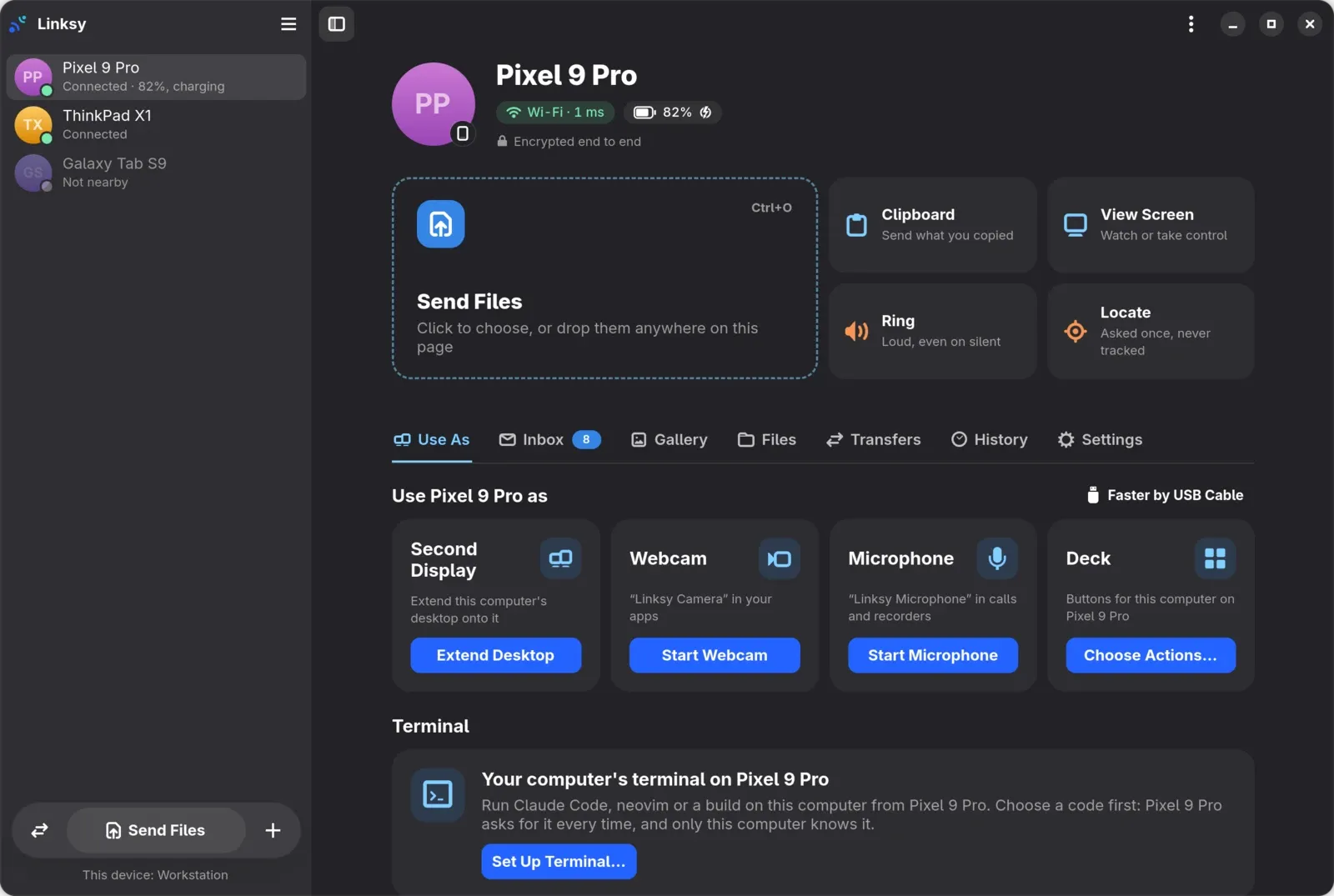
Linksy for Linux 0.12.1 and 0.12.2 and Linksy for Android 0.3.3 are out, all on 3 November 2026. A phone's page on the computer now opens in tabs, with an Inbox for its messages, a Gallery for its photos and a file manager for its files. The phone can be a deck of buttons for the computer, laid out in a new editor. And the Qt app for KDE Plasma has been redesigned in Plasma's own style.
A phone's page, in tabs
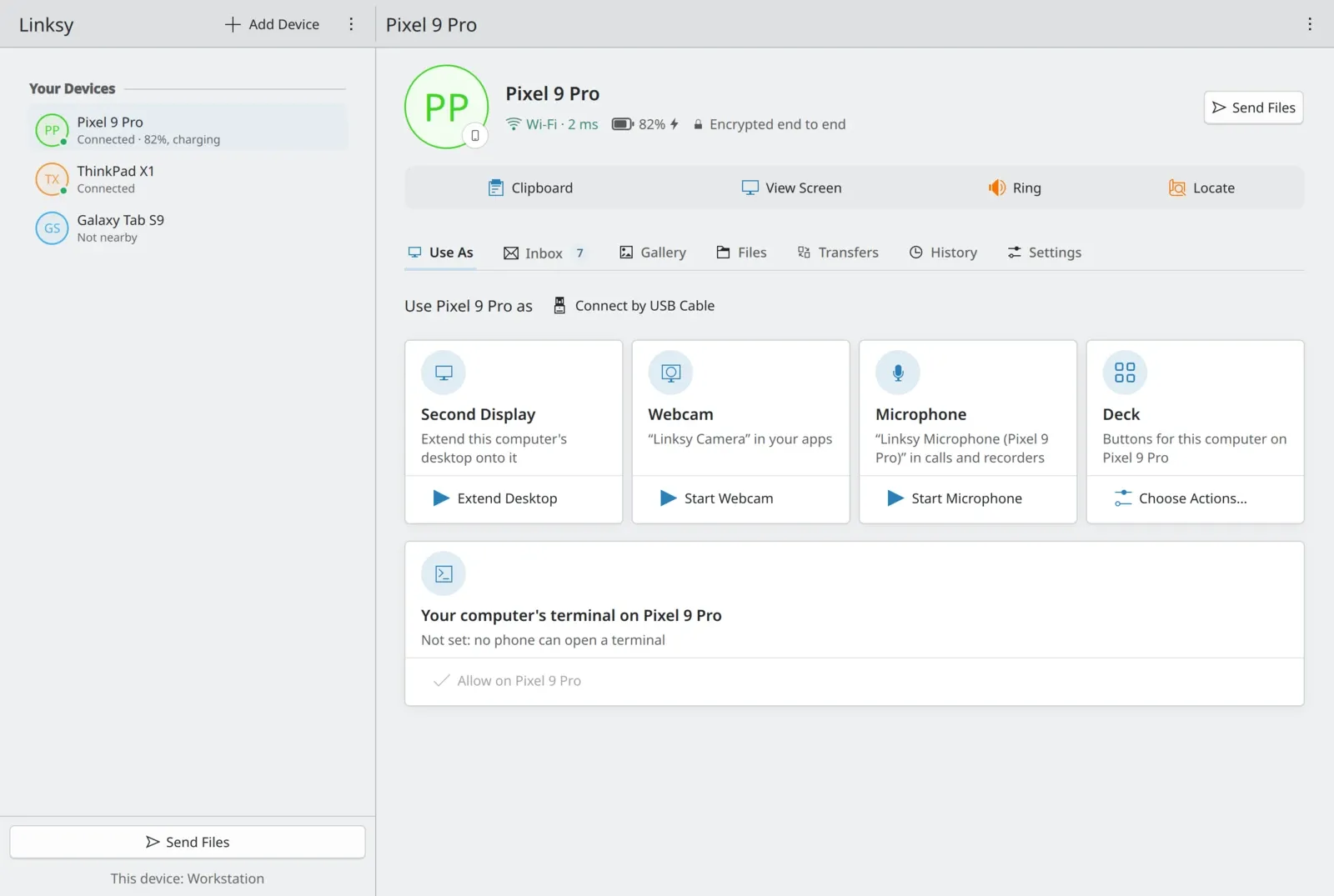
Open a phone in Linksy and its page has seven tabs: Use As, Inbox, Gallery, Files, Transfers, History and Settings. The header keeps how the phone is connected, the latency and the battery, and the tabs stay at the top while the page scrolls. Transfers moved there too, from a page of their own to each device's Transfers tab. The tabs are in both apps, GTK and Qt.
Inbox: the phone's messages
The Inbox gathers the phone's chats, texts and mail from its notifications: WhatsApp, Telegram, Signal, Messenger, Discord, Slack, the SMS app, Gmail, Outlook and others. Answer from the computer when the app lets its notification be answered. Codes that arrive in messages are copied to the clipboard. The phone's other notifications are there too, earlier messages load from the phone, and mail shows its subject. Nothing is kept on disk.
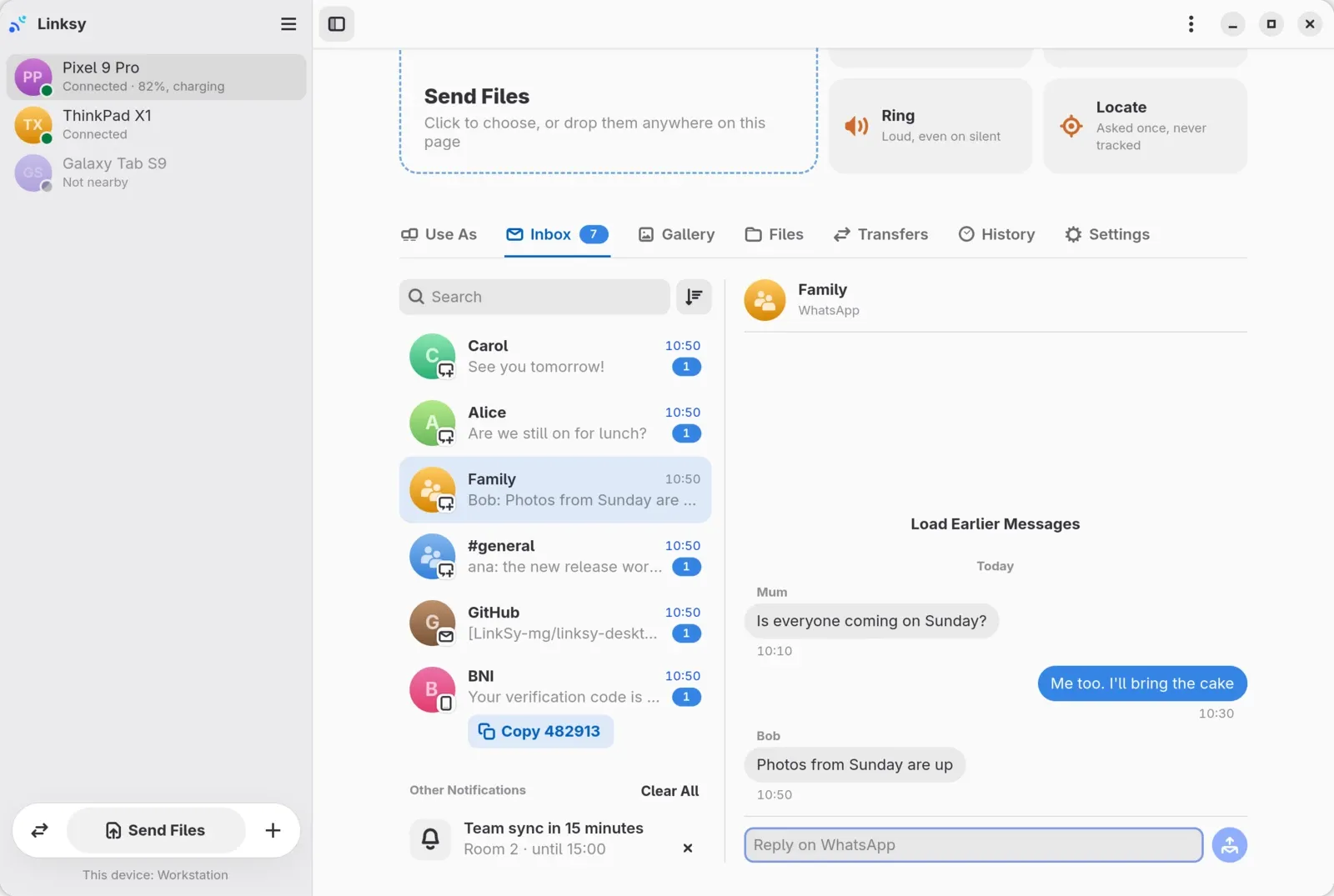
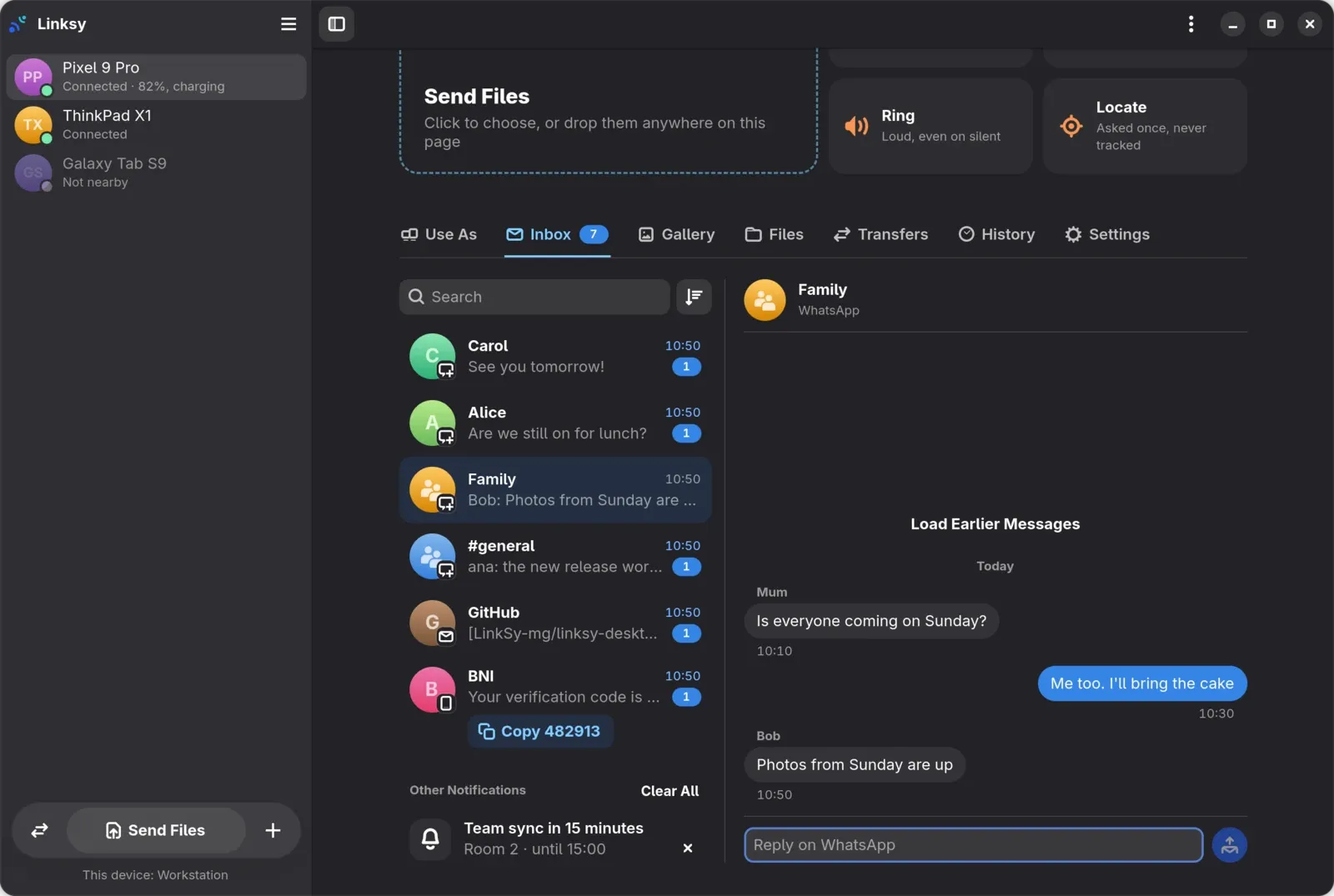
The limits are Android's and the apps': a reply works only where the app's notification can be answered, and Android 15 and newer hide some codes from apps like Linksy. The Inbox guide has the details.
Gallery: the phone's photos and videos
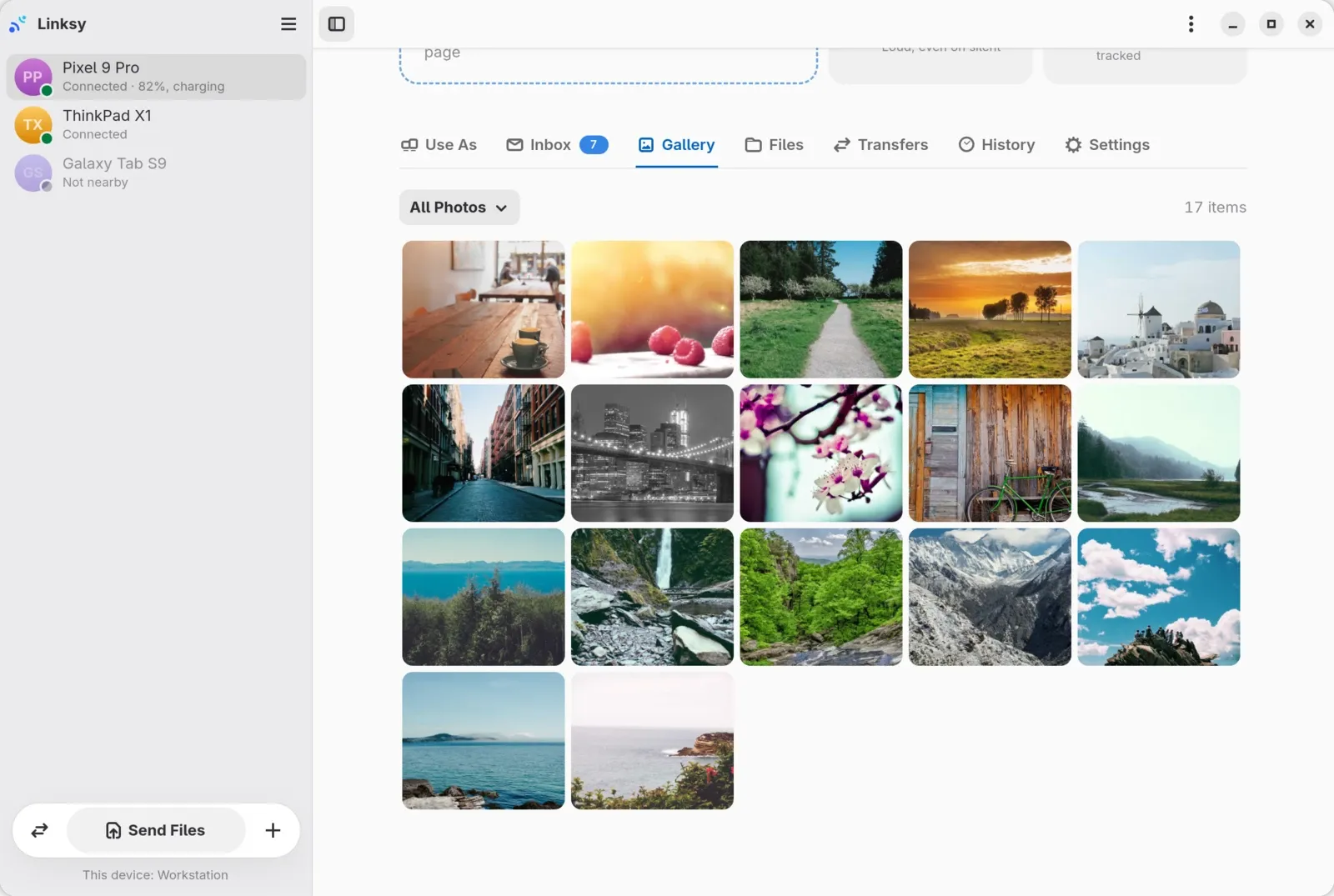
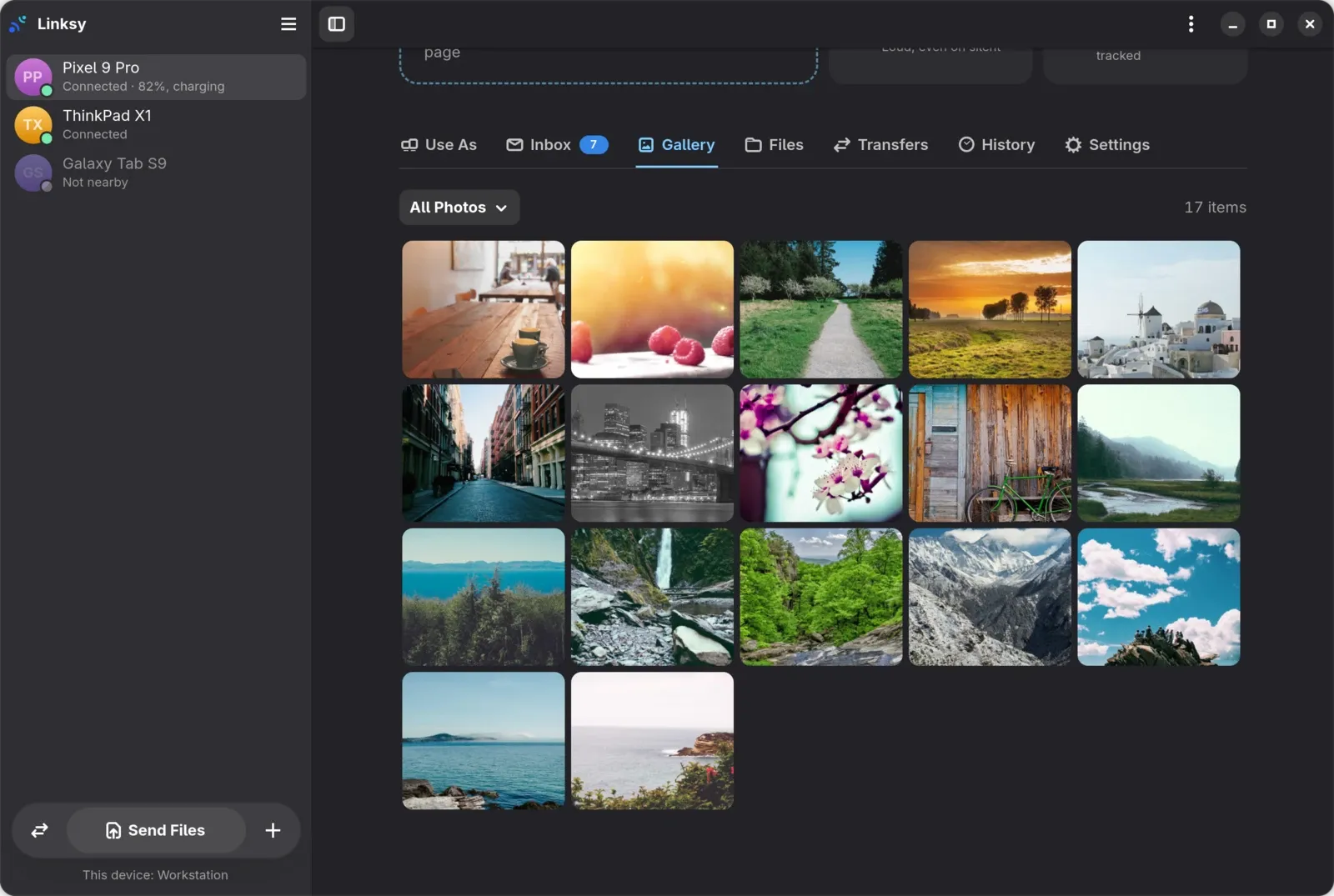
The Gallery tab looks through the phone's photos and videos from the computer, a page at a time and by album, fetching each thumbnail once. Pick some and save them to Pictures. It needs Linksy for Android 0.3.3; on the phone, its setting is Photos on your computers, under Settings › Files.
Files: a file manager for the phone
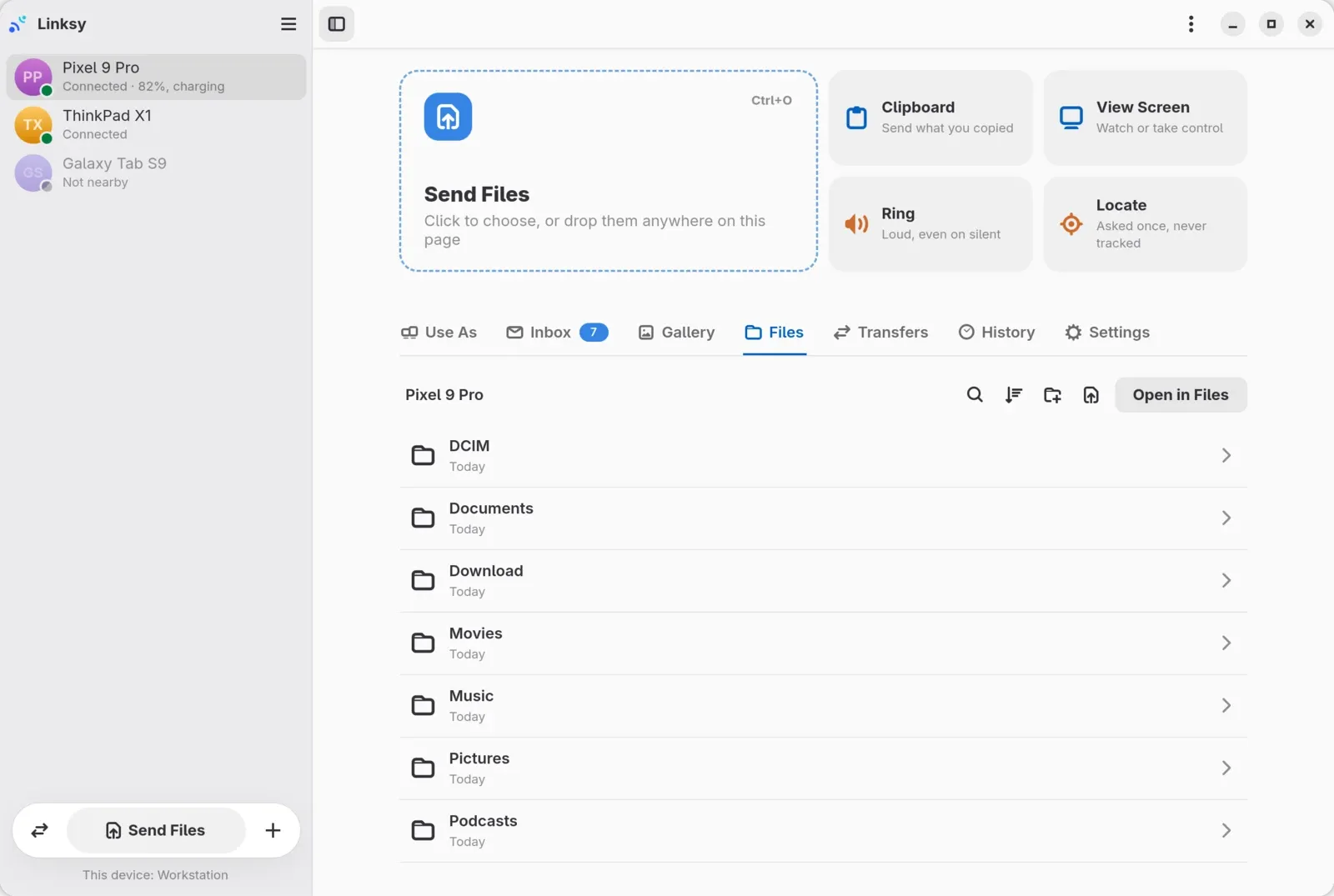
The Files tab manages the folder the phone shares: copy files and folders both ways, make a new folder, rename and delete. Copies run in the background, with their progress and a Cancel button. It works with the Android app you already have, and the folder still opens in your file manager too.
Deck: the phone as a Stream Deck
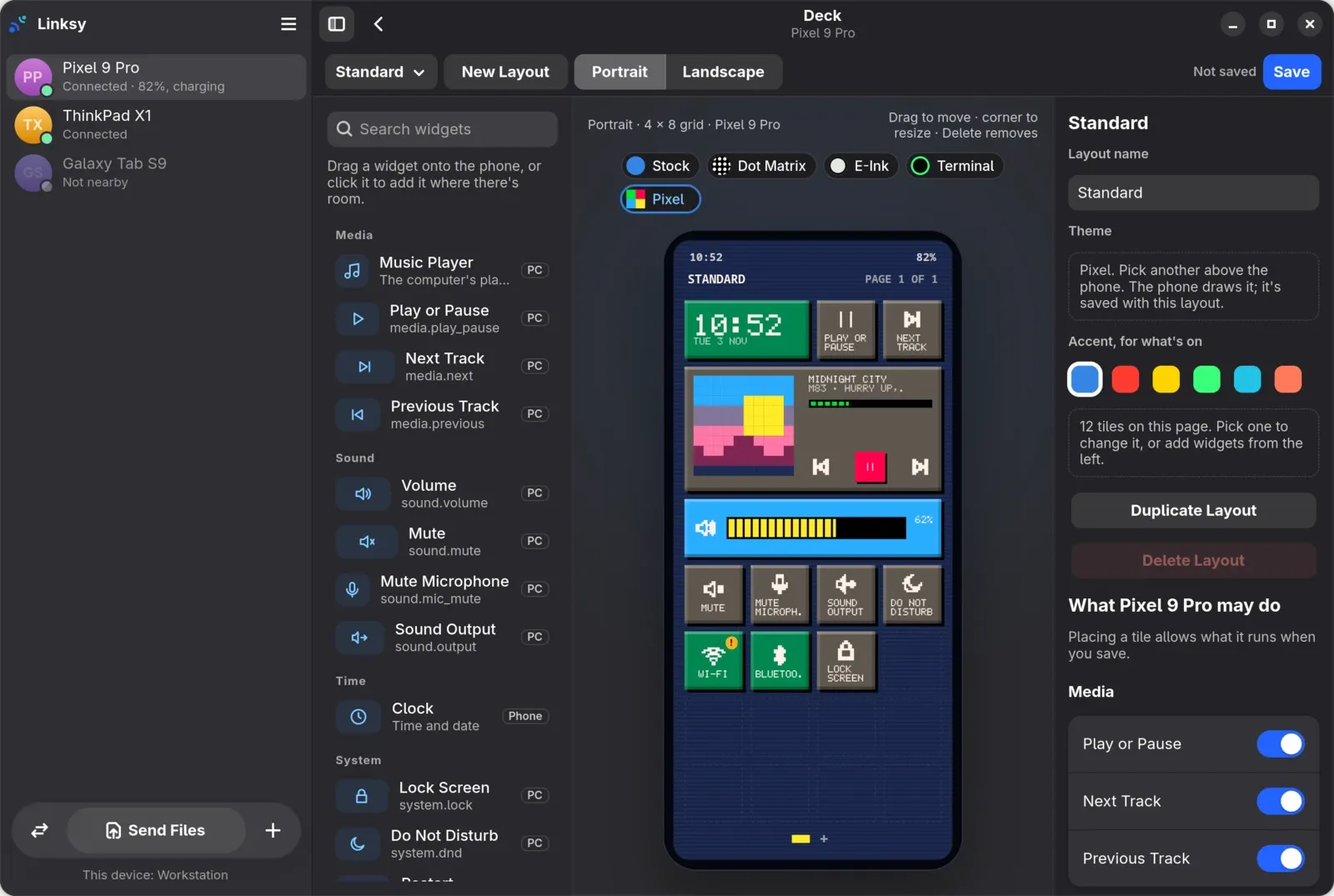
The phone becomes a deck of buttons for the computer: play or pause, next, previous, volume, mute, microphone mute, the sound output, lock, Do Not Disturb, Wi‑Fi, Bluetooth, airplane mode, the power modes, restart, shut down and commands of your own. Each is allowed phone by phone. Restart, shut down, airplane mode and your commands stay off until you allow them, and restart, shut down, Wi‑Fi and airplane mode ask on the phone before they run.
In the GTK app, the Deck editor builds the phone's deck on the computer, on a phone drawn true to size, in portrait and landscape. Drag widgets in, resize them, pick a look (Stock, Dot Matrix, E-Ink, Terminal or Pixel) and keep several layouts. The Qt app gets the editor next.
Using your phone as a Stream Deck for Linux walks through it step by step.
The Plasma app, redesigned
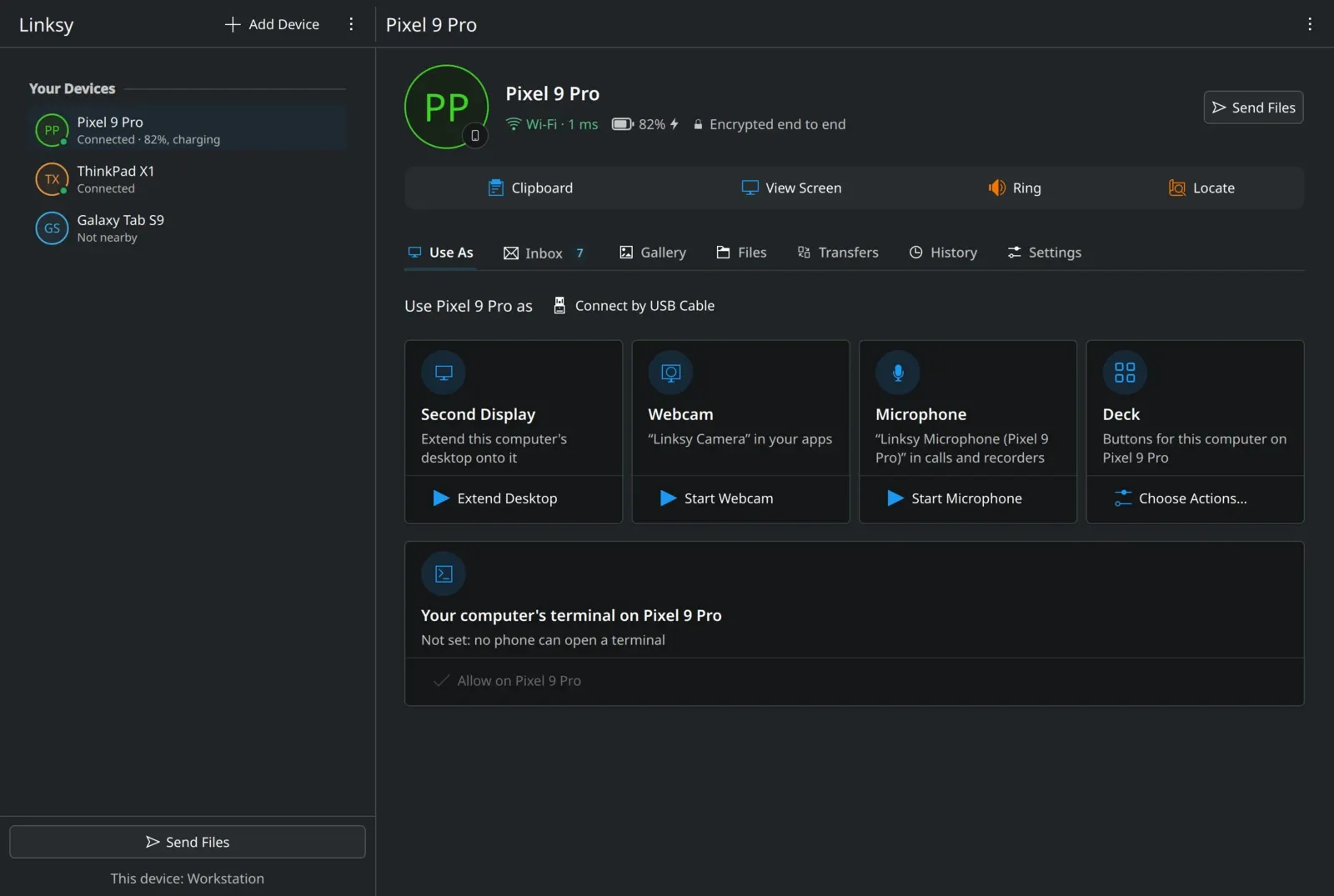
Linksy's Qt app for KDE Plasma has been redesigned in Plasma's own style, with Breeze's icons and a calmer look, in light and Breeze Dark alike. A phone's page opens with how it's connected in plain words and Send Files beside its name, and the everyday actions sit in one bar. It caught up on the way: a phone's running terminals in its Terminal card, how long a device stays reachable from away, and the History tab's filters and day headings.
Start When You Log In, or not
A switch in Preferences, in both apps. Turned off, Linksy keeps running until you log out and doesn't start at the next login. It works the same with the packages, the tarball and the Flatpak.
Linksy for Android 0.3.3
The phone's half of all this:
- The deck, with the layouts and looks you make on the computer and three looks of its own: Signal, Glass and Midnight. It has its pages, the computer's music, a clock and the volume, keeps the screen on and dims it after a minute, and asks before a restart and the like.
- The Gallery: the computer can look through the phone's photos and videos.
- Earlier messages: a conversation on the computer shows its earlier messages too, and Reply still works for a day after the notification is gone.
How do I update?
Linksy for Linux offers the update itself, or run linksy upgrade; the packages are also in the download section, with the Android app. The full lists, with every fix, are in the release notes for Linux 0.12.1, Linux 0.12.2 and Android 0.3.3.